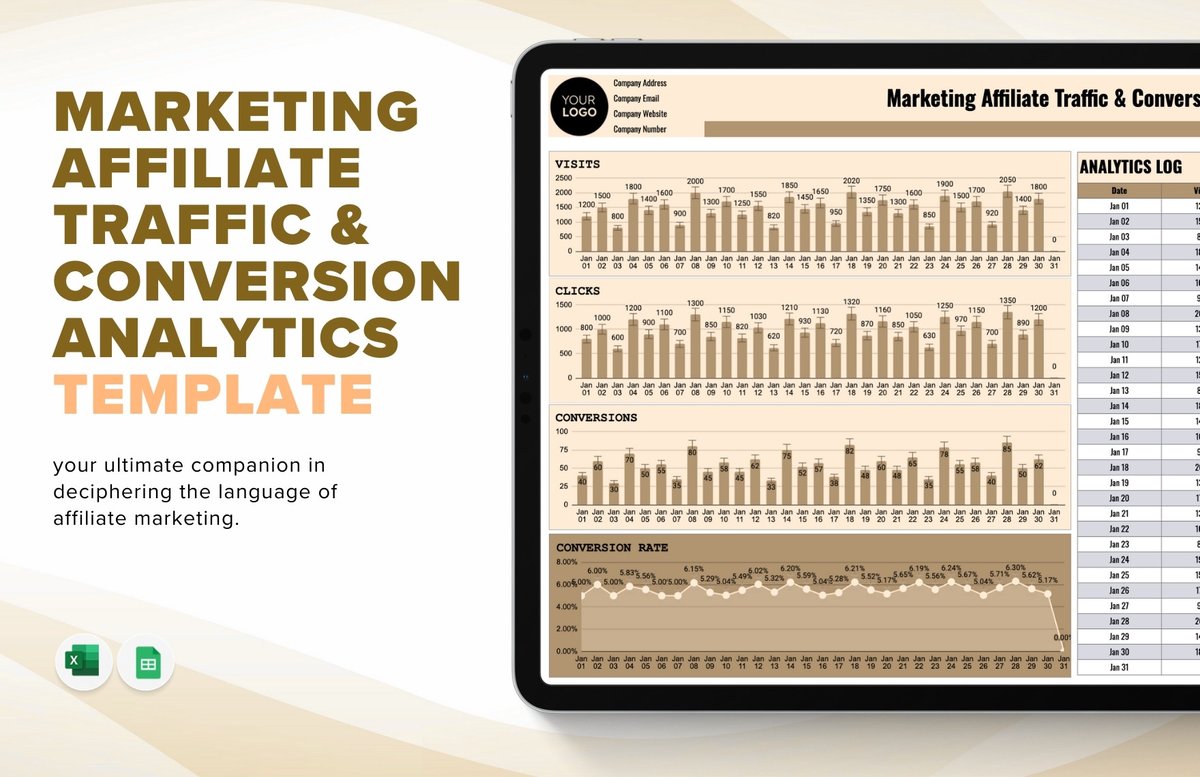
If you're running any kind of online presence—a bustling e-commerce store, a content-rich blog, or a lead-generating service site—you understand the constant push to grow. But growth isn't just about getting more eyes on your content; it's about getting the right eyes, and then guiding them to take meaningful action. This is where the power of Traffic Analytics & Conversion truly shines, transforming raw data into actionable insights that fuel smarter business decisions and unlock sustainable growth.
It's not enough to simply have traffic; you need to understand where it comes from, what visitors do once they arrive, and how effectively your site turns those visits into valuable outcomes, whether that's a sale, a signup, or a download. Think of your website as a bustling marketplace. Traffic analytics tells you who's walking through the door and how they found you, while conversion analysis reveals how many actually bought something, signed up for a newsletter, or engaged with a key display.
At a Glance: Your Roadmap to Data-Driven Growth
- Understand Your Audience: Learn where your visitors come from (organic search, social, paid ads) and what they're looking for.
- Embrace GA4: Leverage Google Analytics 4's event-based tracking and AI insights for a holistic view of user journeys.
- Key Metrics Matter: Focus on traffic, engagement, conversion, and user behavior metrics to measure true performance.
- Choose the Right Tools: Select an analytics platform that aligns with your goals, technical needs, and privacy requirements.
- Actionable Insights: Don't just collect data—regularly review, segment, A/B test, and iterate to improve user experience and boost conversions.
- Optimize Everything: Apply insights to refine user flows, personalize experiences, fix technical issues, and drive ongoing growth.
Why Traffic Analytics & Conversion Isn't Optional Anymore
In today's hyper-competitive digital landscape, relying on guesswork is a recipe for stagnation. Web analytics is no longer a niche tool for data scientists; it's a fundamental pillar for any business aiming for online success. It provides the crucial intelligence needed to understand your website visitors, gauge their behavior, and make informed strategic decisions that lead directly to increased conversions and revenue growth.
Without a solid analytics strategy, you're essentially flying blind. You might be pouring resources into marketing channels that yield poor returns, overlooking critical user experience (UX) issues that frustrate potential customers, or missing opportunities to personalize content that could turn casual browsers into loyal advocates. By systematically tracking and analyzing your traffic and conversion data, you gain the clarity to optimize every aspect of your online presence.
What We're Really Talking About: Traffic vs. Conversion
Before we dive deep, let's quickly clarify these two core concepts:
- Traffic Analytics: This is about understanding who is coming to your site, where they're coming from (e.g., Google search, a Facebook ad, an email newsletter), and general patterns of their arrival (e.g., number of visits, unique visitors). It's the "discovery" phase of your audience journey.
- Conversion Optimization: This focuses on what happens after traffic arrives. It's the process of getting visitors to complete specific, valuable actions (conversions) on your site. This could be anything from making a purchase, signing up for an email list, downloading a resource, or filling out a contact form.
The magic happens when you analyze these two together, using traffic data to inform your conversion strategies and vice-versa.
The Modern Toolkit: Diving into Google Analytics 4 (GA4)
For many, Google Analytics is the entry point into web analytics, and Google Analytics 4 (GA4) represents a significant evolution. Unlike its predecessor, Universal Analytics, GA4 is built for the future, offering a more robust and flexible approach to understanding complex user journeys.
GA4's Paradigm Shift: Event-Based Tracking, AI, and Cross-Platform Measurement
GA4's core innovation is its event-based data model. Instead of relying on session-based hits, every user interaction—a page view, a click, a scroll, a video play, a purchase—is treated as an "event." This unified approach allows GA4 to:
- Track users across platforms: Seamlessly measure engagement across your website and mobile apps, providing a truly holistic view of the customer journey.
- Leverage AI-powered insights: GA4 uses machine learning to offer predictive metrics, like the probability of a user purchasing or churning, helping you identify opportunities and at-risk segments proactively.
- Offer greater flexibility: You can customize events and parameters to track exactly what matters most to your business, giving you unparalleled granularity.
Your First Stop: Decoding Traffic Acquisition Reports
To understand where your audience is coming from in GA4, your primary destination is the Acquisition > Traffic Acquisition report. This report offers a bird's-eye view of your traffic sources.
Here's what you'll find:
- Source/Medium Data: This is automatically displayed and tells you the origin (e.g., "google") and the general category (e.g., "organic") of your traffic. So, "google / organic" means a visitor came from a Google search.
- Direct / None: When GA4 can't attribute a visitor to a specific source (perhaps they typed your URL directly, or came from a bookmark), it logs them as "Direct / None." While it can sometimes indicate brand strength, it can also mask untagged campaigns.
- Not set: This often appears when keyword data is unknown, especially for organic search, due to privacy measures. For other sources, it might indicate a misconfiguration.
The Fix for 'Direct/None' and 'Not set': URL Tags (UTM Parameters)
This is where UTM parameters become your best friend. These small tags added to your URLs (e.g.,?utm_source=facebook&utm_medium=social&utm_campaign=summer_sale) provide GA4 with explicit information about where your traffic is originating. By consistently tagging all your marketing campaigns (social posts, email newsletters, paid ads), you eliminate ambiguity and gain crystal-clear insights into your marketing channel performance.
Beyond the Basics: Customization & Granular Insights
GA4 is designed for customization. You can easily drill down into your data:
- Add Extra Rows: Click the
+sign in your report to add dimensions like 'Browser', 'Device Category', 'Country', or 'Landing Page'. This helps you understand, for instance, which browsers convert best, or which specific pages attract the most traffic from a particular source. - Set Up Comparisons: Want to see how traffic from the US performs compared to Germany? Or how organic search users behave versus paid search users? Use the 'Add comparison' feature to segment your data and surface impactful differences.
- Explore Channel Groups: GA4 automatically organizes traffic into "Default Channel Groups" (like Organic Search, Paid Search, Social, Email). You can dig into these to see the specific source/medium data beneath the fold.
This granular approach helps you answer crucial questions: Is your social media strategy bringing in engaged users, or just fleeting visits? Which paid campaigns are truly delivering conversions? Which countries are most interested in your new product?
Metrics That Matter: What to Track and Why
While GA4 offers a dazzling array of metrics, not all are equally critical for every business. The key is to focus on those that directly inform your goals and highlight opportunities for improvement.
Traffic Metrics: The Foundation of Reach
These tell you how many people are finding your site and how often.
- Visits (or Sessions): The total number of times users engaged with your site within a given period. One user can have multiple visits.
- Unique Visitors (or Users): The actual number of distinct individuals who visited your site. This is crucial for understanding audience size.
- Pageviews: The total number of pages viewed. High pageviews can indicate strong content engagement, especially when compared to unique visitors.
Why they matter: These metrics are your first indicator of whether your traffic generation efforts are paying off. Are you attracting enough people? Is your audience growing over shrinking?
Engagement Metrics: Are People Sticking Around?
Traffic is good, but engaged traffic is gold. These metrics tell you if visitors are finding your content valuable.
- Time on Page/Session Duration: How long users spend interacting with a specific page or your site overall. Longer durations often suggest deeper interest.
- Bounce Rate (or Engaged Sessions in GA4): Historically, bounce rate measured the percentage of single-page sessions. In GA4, the emphasis shifts to 'Engaged Sessions' (sessions lasting over 10 seconds, having a conversion event, or 2+ page/screen views). This provides a more nuanced view of active engagement. A high bounce rate (or low engaged sessions) can signal content-relevance issues or poor UX.
- Pages Per Session: The average number of pages a user views during one visit. More pages generally mean more engagement.
Why they matter: These help you identify content that resonates and pages that might be confusing or uninteresting. They're critical for evaluating the quality of your traffic.
Conversion Metrics: The Ultimate Business Goal
These are the bottom-line metrics that directly measure your success in achieving business objectives.
- Signups: New email subscribers, webinar registrations, account creations.
- Purchases/Revenue: The number of completed transactions and the total income generated.
- Goal Completions: Any defined action you want users to take, such as a contact form submission, a download, or a video watch.
- Conversion Rate: The percentage of visitors who complete a desired action. This is arguably the most important metric for optimizing your funnel.
Why they matter: These directly tie back to your business's financial health and growth. They tell you how effective your site is at turning browsers into customers or leads.
User Behavior Metrics: Peeking Behind the Clicks
These granular metrics reveal how users interact with your site's design and content.
- Clicks: On buttons, links, or specific elements. Useful for A/B testing CTA effectiveness.
- Scroll Depth: How far down a page users scroll. Helps assess content visibility and engagement with longer-form content.
- Video Plays/Completions: If you use video, these show its impact.
Why they matter: These are invaluable for UX optimization, helping you pinpoint specific elements that work well or need improvement.
Benchmark Metrics: How Do You Stack Up?
Comparing your performance against industry averages or your past performance.
- Year-over-Year/Month-over-Month Growth: Are you improving over time?
- Industry Benchmarks: How does your conversion rate or traffic compare to competitors in your sector?
Why they matter: Benchmarks provide context and help set realistic goals, showing you where you excel and where you need to catch up.
Beyond Google: A Tour of Leading Analytics Platforms
While Google Analytics is widely used, it's not the only player in the game. Depending on your business size, budget, and specific needs, other platforms might offer features that better align with your strategy.
Google Analytics: The Ubiquitous Free Powerhouse
- Strengths: Free (GA4), robust reports (audience, acquisition, behavior), excellent integration with Google Ads and other Google products, customizable dashboards, advanced segmentation, goal, and ecommerce tracking.
- Ideal for: Most small to medium businesses, content publishers, and anyone leveraging Google's ad ecosystem.
Adobe Analytics: For the Enterprise-Level Player
- Strengths: Enterprise-grade capabilities, powerful data visualizations, advanced segmentation and attribution modeling, deep integration with Adobe Marketing Cloud, predictive analytics, supports web and mobile analytics.
- Ideal for: Large enterprises with complex data needs, significant budgets, and a desire for highly customized reporting and deep data science capabilities.
Mixpanel: Mastering User Journeys
- Strengths: Specializes in user behavior, excellent for user journey and retention analysis, robust segmentation and cohort analysis, ideal for mobile and product analytics, A/B testing integration.
- Ideal for: SaaS companies, mobile app developers, and product managers focused on understanding specific user flows, feature usage, and retention.
Heap: The "Retroactive" Insight Machine
- Strengths: Automatic event tracking (no code required for basic events), session playback, retroactive analysis of past user behaviors (you can define an event after the fact and see historical data), visual funnel and user flow analysis.
- Ideal for: Teams who want to quickly understand user behavior without heavy development resources, or those needing to analyze past user actions without prior event setup.
Matomo: Your Open-Source, Privacy-First Alternative
- Strengths: Open-source, offers full data ownership and extensive customization, goal and campaign tracking, eCommerce integrations, real-time reports, segmentation, and strong privacy options (IP anonymization, cookie consent management, data deletion).
- Ideal for: Organizations with strict data privacy requirements (e.g., healthcare, government), those needing to host their own analytics data, or businesses that value open-source flexibility.
Choosing Your Analytics Co-Pilot: A Decision Framework
Selecting the right analytics platform is a critical decision. It's not just about features; it's about aligning the tool with your business strategy.
Aligning with Your Business Goals and KPIs
- What are you trying to achieve? Are you focused on lead generation, e-commerce sales, content engagement, or app adoption?
- What are your Key Performance Indicators (KPIs)? Ensure the platform can easily track and report on your core KPIs (e.g., conversion rate, average order value, customer lifetime value).
- What reporting do you need? Do you require simple overview dashboards, or complex, multi-dimensional reports for executive stakeholders?
Technical Considerations & Data Volume
- Technical expertise: Do you have developers on staff to implement custom tracking, or do you need a more out-of-the-box solution?
- Data volume: How much traffic do you anticipate? Some platforms have data limits or pricing tiers based on volume.
- Implementation methods: Consider how the platform integrates: JavaScript snippets, APIs, CMS plugins (e.g., WordPress), mobile SDKs, or data connectors.
Cost, Support, and Integrations
- Budget: Free tools like GA4 are excellent starting points, but enterprise solutions can be costly.
- Support & SLAs: What level of customer support do you need? Are Service Level Agreements (SLAs) important for data uptime and accuracy?
- Integrations: How well does the platform integrate with your existing MarTech stack? Think CRM (Salesforce, HubSpot), BI tools (Tableau, Snowflake), advertising platforms, and email marketing services. Seamless integration saves time and provides a more unified view of your customer data.
Navigating the Privacy Landscape
With increasing regulations, privacy and compliance are paramount.
- GDPR/CCPA Compliance: Does the platform offer features to help you comply with data privacy laws?
- Cookie Consent: Does it integrate with cookie consent management platforms?
- IP Anonymization & Data Deletion: Can you anonymize user IPs and easily delete user data upon request?
- Data Ownership: Where is your data stored? Who owns it? This is a key differentiator, especially for open-source options like Matomo.
Turning Data into Action: Your Playbook for Conversion Optimization
Collecting data is only half the battle. The true power of analytics lies in converting those numbers into concrete actions that improve your website's performance and drive conversions.
Regular Reviews & Segmentation: Understanding Your Audience
- Schedule dedicated review time: Make it a routine to review your dashboards and reports. Don't wait for a crisis.
- Segment your users: Don't treat all users the same. Segment them into cohorts based on their source (e.g., organic vs. paid), demographics, behavior (e.g., engaged users vs. bounced users), or conversion status. This allows for targeted analysis and personalized strategies. What works for a first-time visitor from social media might not work for a returning customer via email.
Diagnosing and Fixing the Friction Points
- Identify high bounce rates/low engagement: Use your engagement metrics to pinpoint pages where users quickly leave or don't interact. Is the content irrelevant? Is the page loading slowly? Is the design confusing?
- Uncover bottlenecks in user flows: Map out critical user journeys (e.g., from product page to checkout). Look for significant drop-off points. Are there too many steps? Is a form too long? Are error messages unclear?
- Address UX pain points: Utilize user behavior metrics like click maps and scroll depth to identify elements that frustrate users or are overlooked.
The Power of Experimentation: A/B Testing Your Way to Better UX
- Formulate hypotheses: Based on your data, hypothesize why a certain issue exists or how a change could improve performance (e.g., "Changing the CTA button color to orange will increase clicks by 10%").
- Conduct A/B tests: Test different versions of a page, headline, call-to-action, or image to see which performs better. This eliminates guesswork and provides concrete evidence for your changes.
- Track the impact of changes: Once you implement a change, continually monitor its effect on your KPIs. Analytics provides the feedback loop to confirm whether your adjustments are truly making a difference.
- Iterate: Analytics is not a one-and-done process. It's a continuous cycle of analysis, hypothesis, testing, and refinement.
Continuous Improvement: Track, Iterate, Grow
The most successful businesses are those that embed analytics into their DNA. It's an ongoing conversation with your data, constantly seeking improvements, eliminating friction, and enhancing the user experience. This iterative approach ensures your website is always evolving to meet user needs and business objectives.
Real-World Impact: Applying Analytics Insights
Now, let's explore how these insights translate into tangible improvements across various aspects of your online strategy.
Streamlining User Flows: Guiding Visitors Seamlessly
By analyzing user paths and identifying significant drop-offs in your funnels, you can redesign these journeys to be more intuitive. This might involve:
- Simplifying navigation: Removing unnecessary menu items or steps.
- Improving internal linking: Directing visitors to high-intent pages more effectively.
- Optimizing form fields: Reducing the number of required fields in signup or checkout processes.
Retaining Your Audience: Engaging At-Risk Users
Predictive analytics (available in GA4) can help identify users at risk of churning. You can then use this insight to:
- Trigger personalized outreach: Offer special promotions or content to re-engage them.
- Send targeted notifications: Remind them of forgotten items in a cart or new content relevant to their past interests.
Personalization: Crafting Tailored Experiences
Segmentation and user behavior data allow you to create personalized experiences that resonate more deeply.
- Dynamic content: Show different hero banners or product recommendations based on a user's geographic location or past browsing history.
- Targeted offers: Present specific discounts or bundles to segments based on their purchase history or expressed interest.
Boosting Conversions: Simplified Paths to Success
The ultimate goal for many is increasing conversions. Analytics helps you achieve this by:
- Reducing friction: Identifying and eliminating frustrating elements in conversion paths (e.g., slow loading times, confusing error messages).
- Highlighting value: Using data to understand which value propositions resonate most with specific audience segments, then emphasizing those in your messaging and design.
- Optimizing calls-to-action (CTAs): Testing different copy, colors, and placements for buttons to maximize clicks.
Optimizing Technical Performance: Speed and Stability
Your analytics can reveal critical technical issues impacting user experience and SEO.
- Page Load Speeds: Slow pages are conversion killers. Analytics can pinpoint slow pages, allowing you to improve image optimization, server response times, and code streamlining.
- Error Monitoring: Track pages with high error rates (e.g., 404s) or JavaScript errors, which can severely disrupt user journeys.
- Mobile Experience: Analyze mobile-specific metrics to resolve issues related to responsiveness, navigation, and form usability on smaller screens.
Driving Smarter Traffic & Awareness
By understanding which channels bring in your most engaged and high-converting traffic, you can make smarter decisions about your marketing spend.
- Focus on high-converting channels: Double down on the marketing channels that consistently deliver valuable conversions.
- Test new campaigns: Use analytics to track the performance of new traffic-generating initiatives, quickly identifying what works and what doesn't. And as you master these insights, you'll naturally be better equipped to learn about traffic generation strategies that truly resonate with your audience.
- Create SEO-optimized content: Analyze search queries and content engagement to inform your content strategy, ensuring you're creating what your audience is actively looking for.
- Remarketing: Target users who visited specific pages or engaged in certain behaviors but didn't convert, with tailored ads to bring them back.
Monitoring for Sustained Growth
Analytics isn't just about fixing problems; it's about sustaining growth.
- Set up dashboards and reports: Create customized dashboards that track your core KPIs against targets, providing a quick overview of performance.
- Implement data alerts: Get notified automatically when key metrics drop unexpectedly or spike significantly, allowing for proactive intervention.
- Track regressions: Ensure that changes you implement don't inadvertently negatively impact other areas of your site.
Common Questions About Traffic Analytics & Conversion
Let's address some frequent queries that pop up when diving into analytics.
"What's the difference between a user and a session?"
A user (or unique visitor) is a distinct individual visiting your site. A session is a single visit by a user. One user can have multiple sessions over time. For example, you might visit a website three times in a week; that counts as one user and three sessions.
"How often should I check my analytics?"
The frequency depends on your role and the pace of your business.
- Daily: Marketing managers running active campaigns might check daily for anomalies or campaign performance.
- Weekly: Business owners or content managers might conduct a deeper dive weekly to review trends and make content decisions.
- Monthly/Quarterly: For strategic reviews, overall growth, and long-term planning.
The key is consistency and ensuring you're reviewing data with specific questions in mind, not just passively observing.
"Is a high bounce rate always bad?"
Not necessarily. While a very high bounce rate often signals issues, it can be acceptable or even expected for certain types of pages. For example, a contact page where users find the phone number and leave, or a blog post that fully answers a specific query on a single page, might naturally have a high bounce rate but still be successful. It's crucial to analyze bounce rate in context with the page's purpose and other engagement metrics. In GA4, focusing on 'Engaged Sessions' can provide a more accurate picture of meaningful interactions.
"Do I really need UTM parameters?"
Absolutely, yes. UTM parameters are non-negotiable for accurate attribution. Without them, traffic from your social media campaigns, email newsletters, or partner referrals might appear as "Direct / None" or be lumped into a generic channel, making it impossible to evaluate their performance. Properly tagged URLs provide granular data, allowing you to see exactly which specific campaign, ad, or post drove traffic and conversions.
Your Next Move: Building a Data-Driven Culture
Navigating the world of Traffic Analytics & Conversion might seem daunting at first, but with the right mindset and tools, it quickly becomes an indispensable part of your growth strategy. Remember, analytics isn't about collecting data for data's sake; it's about fostering a culture of curiosity and continuous improvement within your organization.
Start small, focus on your key objectives, and consistently ask "why?" when you see a trend or anomaly. Empower your team to explore the data, test hypotheses, and iterate on their findings. By doing so, you'll not only unlock deeper insights into your audience but also cultivate a more agile, responsive, and ultimately, more successful online business. The digital landscape is ever-changing, and the businesses that thrive are those that listen to their data and adapt.